

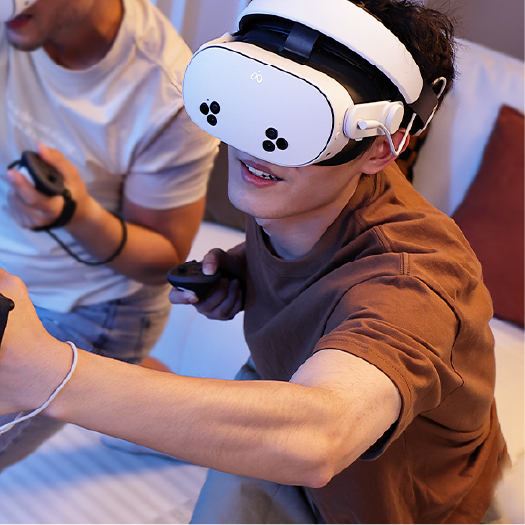

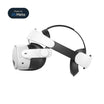
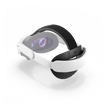
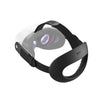
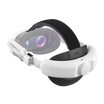

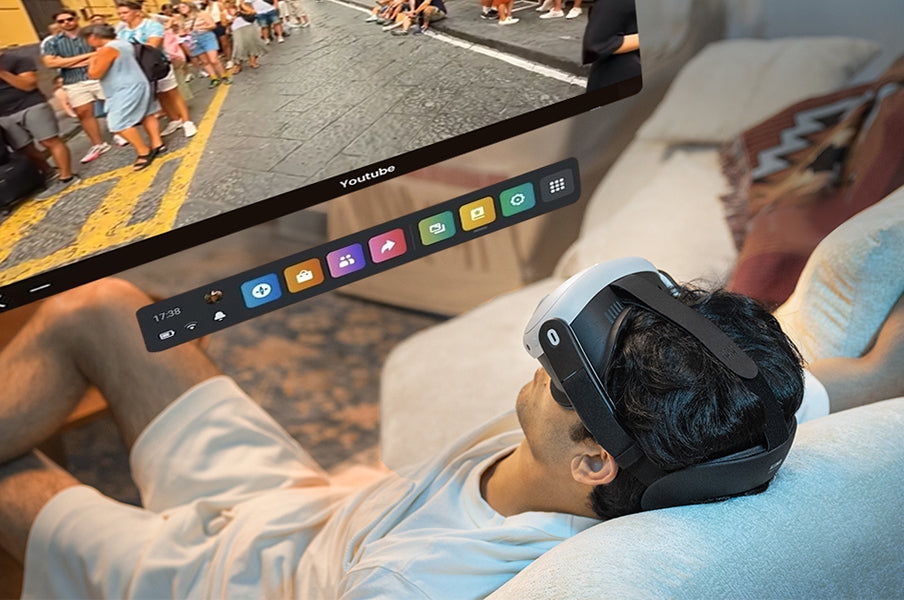
Lying back with a Meta Quest 3 or Quest 3S changes what matters in a head strap. A rear dial or rigid cradle that feels unobtrusive while standing can become a concentrated contact point against a pillow or chair. A softer, lower-profile rear can be easier to recline against, but it still needs to hold the display in a clear, stable position. This guide explains how to evaluate that tradeoff, adjust your headset for reclining, and decide whether a flexible flat-back strap fits the way you use VR.
For reclining use, the target is a clear display, low rear interference and the lightest tension that keeps the headset secure during stationary content.
Why reclining changes the way a head strap feels
When you stand or sit upright, the back of a head strap mostly interacts with your head. Recline, and a second surface enters the system: a pillow, sofa, headrest, or chair. That surface can push a rear adjustment dial forward, tilt the headset, or add pressure at the back of the head.
Three details become especially important:
- Rear profile: A protruding component has more opportunity to meet the pillow before the rest of your head does.
- Contact material: A flexible, padded surface can conform more readily than a hard mechanism, although softness alone does not guarantee a good fit.
- Adjustment method: The strap must hold the headset without requiring excessive tension around the face.
Your pillow matters too. A high or firm pillow may push almost any strap forward. A lower pillow that supports the neck while leaving room for the rear of the headset can reduce that interference. Treat the head strap and support surface as one setup rather than judging either in isolation.
Compare rear structures before choosing a strap
No head-strap category is automatically right for every reclining user. Individual products within a category also differ. Use this table to identify the rear structure that best matches your usual position and support surface.
| Strap structure | Potential advantage | Reclining tradeoff | Usually worth considering when |
|---|---|---|---|
| Stock fabric strap | Low rear bulk and easy packing | May need more careful tension and top-strap adjustment to limit movement | You use VR occasionally and want the lightest, simplest setup |
| Flexible flat-back strap | Low-profile rear contact area can sit more naturally against a pillow or headrest | May not provide the rigid, dial-based micro-adjustment some users prefer | Reclining, seated media, travel, and quick on/off use are priorities |
| Elite-style strap with rear dial | Structured support and convenient dial adjustment | The dial or rear shell may become a contact point when you lean back | Upright or active play matters more than pillow clearance |
| Halo-style strap | Shifts more of the fit system toward the forehead and crown | The frame and rear geometry still need to be checked against your chair or pillow | You prefer forehead support and mostly play upright |
| Battery head strap | Adds power and can change front-to-back balance | A rear battery adds mass and may change how the strap meets a headrest | Session power and upright balance outweigh reclining simplicity |
A rigid strap suits upright use when structured adjustment matters most. A flexible flat-back strap is the more practical structure when the back of the head regularly rests on a pillow or headrest.
Set up the fit before you lie back
Do the first adjustment while seated upright. It is easier to distinguish strap tension from pillow pressure when the support surface is not yet involved.
- Loosen the rear and top adjustments. Meta's fit guidance starts from a loose setup rather than tightening around an uncertain position.
- Place the display where the image looks clear. Hold the headset against your face and adjust its angle before using strap tension to keep it there.
- Set the rear support low enough to feel secure. It should contact the back of your head without being pulled down aggressively.
- Use the top strap to carry part of the load. Tightening only around the sides can increase facial pressure. The top strap should help hold the display at the chosen height.
- Tighten only until the display stays in place. More tension is not automatically more stable or more comfortable.
- Recline slowly and reassess. Notice whether the pillow changes the display angle, pushes the strap forward, or creates one obvious contact point.
If the image shifts when you recline, return upright before adjusting. Small changes to the top strap, headset angle, or pillow position are easier to evaluate one at a time.
Match the setup to the reclining scenario
"Lying down" covers several different positions. The same adjustment does not serve all of them.
Social VR and VRChat
Social sessions often alternate between looking around, sitting upright, and leaning back. Favor a fit that remains clear through those transitions rather than the loosest possible fit. Check that turning your head does not cause the display to slide before you settle into a longer conversation.
Video and virtual cinema
For low-movement viewing, you may be able to use less side tension than you would for an active game. Position the video first, then set your head and neck support. Avoid using a tighter strap to compensate for a pillow that is forcing the headset forward.
Couch and high-backed chair use
A chair may contact a smaller area than a pillow and can press directly on the center of the rear strap. Test the actual chair you use. A rear design that works on a bed is not guaranteed to clear every headrest.
Bed use
Keep the area clear, choose stationary content, and maintain awareness of cables, controllers, pets, and nearby objects. Follow the headset and app safety instructions, and stop using the headset if you feel pain, numbness, dizziness, or visual discomfort.
Where K4 Flex fits in this decision
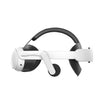
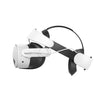
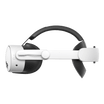
The K4 Flex Comfort Head Strap is a flexible flat-back option made for Meta Quest 3 and Quest 3S. It uses adaptive rear support with soft foam padding instead of a bulky rear profile. Its flat rear shape is designed for reclining on a couch, bed, or high-backed chair.
The strap also uses elastic adjustment, can be folded for storage or travel, and is designed to help make room for glasses. Those characteristics make it a relevant option when low rear bulk, flexibility, and portability matter more than a rigid dial or an integrated battery.
That does not make K4 Flex the answer for every player. It does not add battery capacity, and users who prioritize a rigid frame or frequent dial adjustments may prefer a different category. Pillow shape, glasses, hair, and head shape can also change the way any strap feels.
Account for glasses, hair, and heat
Small fit details can become more noticeable after you recline because the pillow limits where the strap can move.
Glasses: K4 Flex uses elastic adjustment designed to help make room for glasses. Set the headset's eye relief and angle before tightening the strap. Because frame widths and shapes vary, the frame should not be squeezed into your temples or pushed into the headset lenses.
Hair: Move loose hair away from the facial interface and rear contact area before adjusting. Thick hair, braids, or a ponytail can change the effective strap length and cause the fit to shift when compressed by a pillow. Recheck the display position after settling back.
Heat: A soft rear pad can still feel warm during a long session. Take regular breaks, and allow damp padding to dry fully before storing the headset.
Who should consider a flexible flat-back strap
K4 Flex is most relevant if you:
- regularly watch video or spend seated time in social VR;
- rest your head against a sofa, pillow, or tall chair;
- want a strap that folds for storage or travel;
- prefer elastic adjustment over a rear dial; or
- do not need an integrated battery in the strap.
Consider another structure if you:
- mainly play high-movement fitness or action titles and prefer rigid support;
- want a rear dial for frequent, precise size changes;
- need an integrated battery or counterweight;
- rely on a specific halo-style forehead fit; or
- expect one strap to eliminate all pressure without adjustment.
Fine-tune K4 Flex for a longer reclining session
Use the content and furniture from your normal setup:
- Set the display where the image is clear before adding strap tension.
- Adjust the top strap so it supports display height without pulling the headset upward.
- Recline and move the pillow until no hard point presses into the back of the head.
- Keep eyeglass temples free from pressure and away from the headset lenses.
- Turn the head slowly to make sure the display stays in place during stationary social or media use.
- Keep the release path clear so the headset can be removed immediately for a break.
If the pillow changes the display angle, reposition the pillow before increasing strap tension. If the display moves during normal head turns, return upright and repeat the adjustment sequence.
Choose for the position you actually use
The most useful distinction is not "premium" versus "basic." It is whether the rear structure matches the surface behind your head. Rigid dial, halo, battery, fabric, and flexible flat-back straps each solve different problems.
If reclining clearance, a soft rear contact area, and foldable storage are your priorities, see the K4 Flex Comfort Head Strap. If you are still deciding between strap categories, use our Quest 3/3S head strap buying guide to compare fit, stability, power, and portability before choosing.


Leave a comment
All comments are moderated before being published.
This site is protected by hCaptcha and the hCaptcha Privacy Policy and Terms of Service apply.